




macOS Tahoe was a major update for Apple’s Macs, as it included a visual overhaul with the new Liquid Glass design language. It was also the last big update for Intel-powered Macs, as Apple transitions to in-house M-series chips on all its computers. Post the initial release, Apple has rolled out two major versions for macOS Tahoe in the form of 26.1 and 26.2 in November and December 2025, respectively, and the third version is currently undergoing beta testing.
Besides fixing some of the Liquid Glass criticisms and bugs introduced with the latest macOS version, macOS 26.1 and 26.2 have added several new features, security enhancements, and improvements to macOS, which many of you will find useful. For example, FaceTime is much better on macOS now, thanks to the Edge Light features and improvements to audio. Similarly, Airdrop is getting a much-needed functional improvement. Here’s a look at four such features that Apple has added to your Mac since the launch of macOS 26.0.
Edge Light in video calls
Edge Light is a new feature introduced in macOS 26.2, and it essentially turns your Mac into a personal ring light for better lighting during video calls. It does this by illuminating the edges of your Mac’s screen (as seen in the picture above); hence the name. However, to ensure you don’t lose access to the content on the display’s edges, the lighting effect recedes from areas around your mouse pointer. The features can come in pretty handy when you are trying to have a FaceTime call in low-light conditions.
If you have a Mac launched in 2024 or later, Edge Light will work automatically. For older Macs, you’ll have to manually trigger the Edge Light feature by going to the video menu in your Mac’s menu bar during a video call. The video menu also allows you to tweak the light intensity and color temperature. Notably, Edge Light can be enabled when using the built-in camera of your Mac, an external camera, or a Continuity Camera, such as your iPhone. Unfortunately, Edge Light is limited to Macs with Apple Silicon and isn’t available on Macs using Intel chips.
No more unsolicited AirDrops

AirDrop is a convenient little feature to transfer files between Apple devices. It’s so popular that Google “reverse-engineered” it to add AirDrop support to its Quick Share feature on Pixel devices. However, for a long time, it was misused by mischievous folks to send random stuff to unsuspecting users if their AirDrop setting was open to receive files from everyone. Apple has finally fixed this with macOS 26.2 (along with iOS 26.2 and iPadOS 26.2 as well). If a person who’s not in your contacts tries to AirDrop something to your Apple device, they will need a temporary code from you.
You will get this code when you accept a share, and you can give it to the other person to complete the transfer. The code is valid for 30 days; however, you get the choice to revoke AirDrop access for the other person before 30 days by choosing the Forget This Person option in the Other Known list in your Apple device’s Contacts app. This will certainly put an end to unsolicited files from strangers while you are in an airplane, train, or any other public location.
Liquid Glass and FaceTime audio improvements
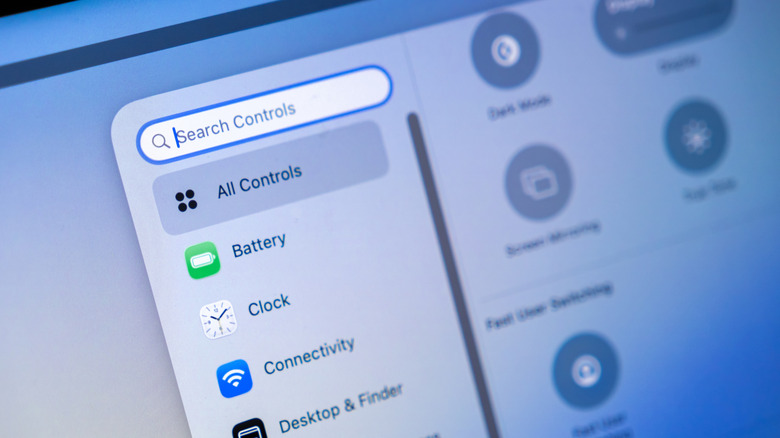
Apple’s Liquid Glass design has seen a fair share of criticism because of its form-over-function trade-offs. As a result, the company has been slowly tweaking various design elements to make it more palatable to users. One of the major changes introduced in this regard as part of macOS 26.1 is the option to choose between Clear and Tinted looks in your Mac’s Appearance settings. The Tinted option increases the opacity of different elements, making them more legible. So, if you are not happy with the default Liquid Glass look, you now have an option to change it.
In addition to the Liquid Glass toggle, Apple has improved the audio quality on FaceTime calls when you have a poor connection in macOS 26.1. So, you won’t have to deal with patchy or broken audio when you have a low-bandwidth connection and are trying to have a FaceTime call. Additionally, macOS 26.1 fixed a FaceTime audio bug that was introduced with macOS 26.0. This bug used to cause issues in audio capture during a FaceTime call.
