


We may receive a commission on purchases made from links.
The Nintendo Wii was a revolution when it released all the way back in 2006, defying expectations and becoming one of the best-selling consoles in history. It helped usher in the age of motion controls, the influence of which can still be seen today with consoles like the popular Nex Playground and the PlayStation Move controllers used in the first generation of PlayStation VR.
But time moves ever forward and the days of the Nintendo Wii are long behind us. You might pull out the console every now and then and reminisce about simpler times while playing some Wii Bowling, or maybe you have even taken our own advice on some clever ways to still use your Nintendo Wii. But the console’s best days are well behind it.
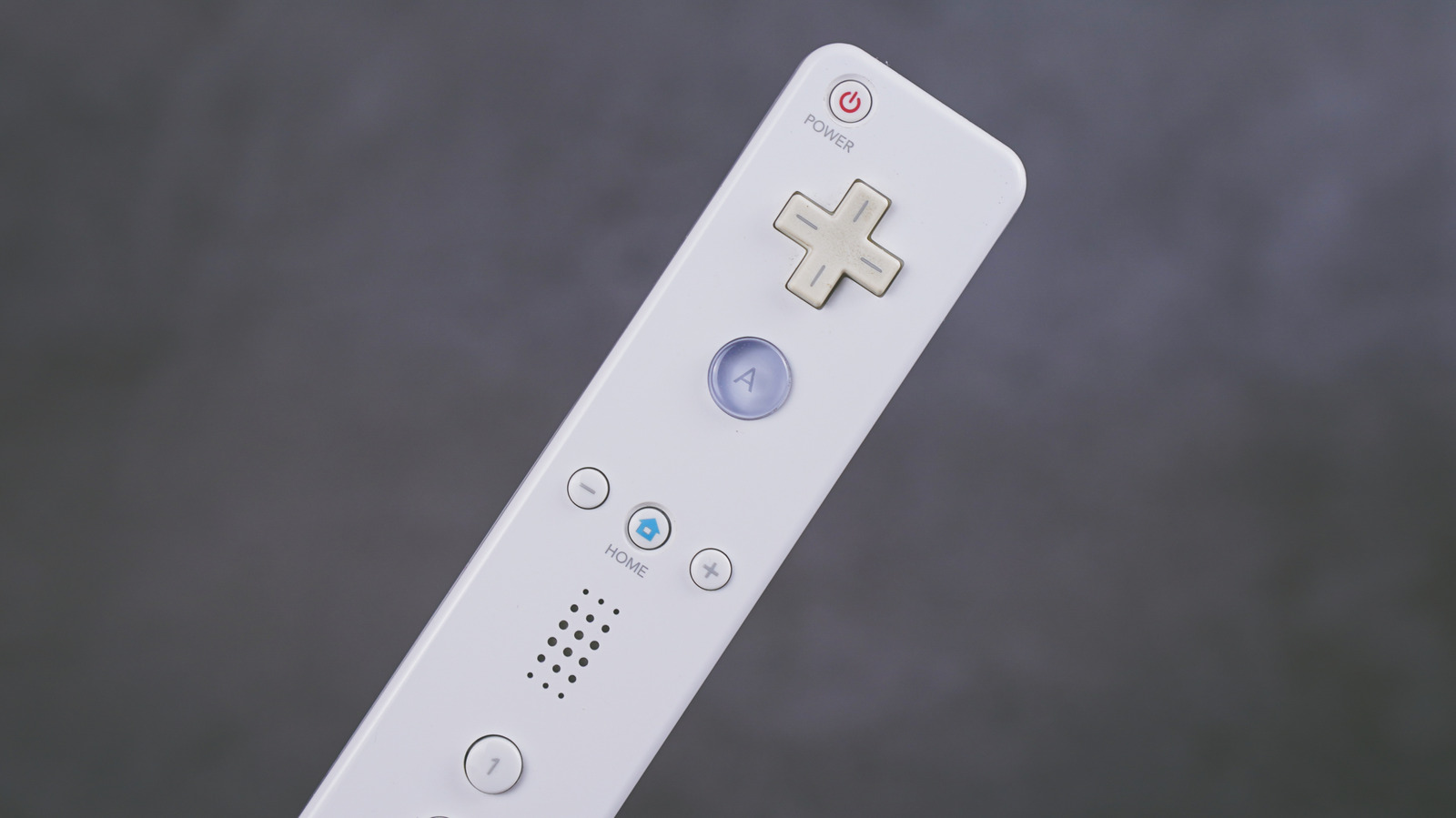
But what about those revolutionary controllers that came with the console? Do those little strange-looking bars still have their place in the modern world and can you take advantage of their capabilities in 2026? Well, we’ve scoured the internet and managed to compile a list of some pretty ingenious ways users have found to harness the power of those Wii Remotes that you might still have lying around.
Turn it into a VR controller
VR has been gaining in popularity thanks in part to the rise of affordable consumer-grade VR devices from giants such as Meta, Sony, and even Valve which is looking to roll out Steam’s new VR headset. But even if you have one of those cheap headset cases that you slide your phone into, you can still take part in a pretty robust VR experience as long as you have a spare Wii Remote and Nunchuk on hand.
You can even pair the setup with an old Kinect device for full-body tracking on the cheap. Using a Wii remote in VR is actually fairly straightforward. Since the Wii Remote works on Bluetooth, just go into your Bluetooth connection settings and pair your Wii Remote with your PC. Then you can load up the Driver4VR software in Steam and configure your Wii Remote for hand tracking.
You can now use your Wii Remote and Nunchuk to perform actions inside the virtual world. The Nunchuk allows you to freely move around in 3D space, while the Wii Remote allows for pointing, object manipulation, and interacting with menus. Using a Wii Remote is a really cool and pretty cost-effective way to take the jump into VR.
Turn it into a retro lightgun
In the world of emulation, there are certain types of video games that don’t quite work as well at home as they do in their native environment. Arcade games that relied on a trackball simply don’t work as well when using a traditional controller at home. The same can be said for classic arcade lightgun games such as Time Crisis and Silent Scope.
Many of these arcade games were eventually ported to the home consoles of the era and allowed for a controller to play, but it just wasn’t the same. And if you intend to use a classic console lightgun on a modern LCD television, it simply won’t work because of how they were designed and the technical incompatibility.
If you do want to enjoy those classic lightgun games that you own, you’ll need a Wii Remote to act as a lightgun, allowing for a true retro emulation experience on the PC. It’s not a perfect 1-to-1 experience, and you’ll need to pick up something like the Wireless Sensor Dolphinbar from MAYFLASH to make it all work. Still, with this method you can set up multiple controllers and provide a fairly authentic arcade lightgun experience at home.
Create a digital whiteboard
A digital whiteboard, also known by many as a smart board, is a fantastic piece of tech that has helped change both the education and office space. If you have had children in the last decade or so, chances are they’ve experienced a digital whiteboard in the classroom, replacing the overhead projector systems that many of us grew up with.
While this technology is great, it’s also a costly one. Smart boards can range in price from anywhere between $1,500 for basic models to over $20,000 for more advanced offerings. Perhaps you’d love to have a smart board in your classroom, but what if your school simply can’t afford one? If you have an old Wii Remote lying around, you already have the makings of an affordable smart board.
You’ll need a Wii Remote, an IR pen, and a projector, which many schools already have. You’ll also need the Smoothboard software or similar software to make it all work together. The Wii Remote serves as an IR camera that tracks the IR pen on the image displayed by the projector. This input is then captured by the software and turned into input on the computer, allowing for a digital whiteboard on a budget.
Use it to run your next PowerPoint presentation
If you have ever been in a meeting at work, chances are you have seen one of those small clicker devices being used to cycle through a PowerPoint presentation. These little devices usually run anywhere from $10 all the way to $100 depending on their quality and feature set.
But if you have an old Wii Remote lying around, you can save yourself some money and use it as your next presentation tool. It’ll certainly turn some heads, but a Wii Remote is a cheap, easy, and very fun way to run your digital presentations. You’ll want to head over to GitHub and grab the Bauhinia software that allows you to turn your Wii Remote into a software presentation tool.
Developed by IT professor Andre Valenti in order to help address the growing issue of e-waste, this small Java applet works by allowing users to map Wii Remote buttons to commands on both Windows and Linux platforms. Now there’s no need to buy a dedicated clicker device — just use that old Wii Remote you have collecting dust instead of letting it turn into e-waste.
Turn it into a Bluetooth speaker
The Wii Remote was designed with a small speaker inside to produce various game and system sounds meant to help enhance the overall user experience. It was a fun little feature that helped make games feel a little more immersive, but YouTuber MetraByte saw it as an opportunity. He decided to hack his Wii Remote and turn it into one of the strangest Bluetooth speakers ever. By using a cheap Bluetooth adapter, a sound amplification board, and a small switch, MetraByte managed to create quite possibly the world’s first Bluetooth Wii Remote speaker.
The best part is that the controller still works as a regular Wii Remote, so you aren’t totally destroying a working device. This isn’t a project for the casual user, and you aren’t getting a great Bluetooth speaker out of it, but sometimes doing things because you can is enough of a reason to try something new.
Methodology
When researching ways to take advantage of Wii Remotes, we searched the internet for those people who have actually found ways to utilize their capabilities. From experts that have created software to allow the controllers to work away from the Nintendo Wii, gaming enthusiasts taking advantage of the controllers for emulation and in the VR space, to even educators finding ways to take old tech and transform it into modern tools for the classroom. This list features applications for the Wii controllers that have been tested and show how hackers, tinkerers, and ingenious people have found ways to keep this older technology alive and kicking.
