

Close Menu
Finsider

    Subscribe to Updates

    Get the latest creative news from FooBar about art, design and business.

    What's Hot

    Gold Price Forecast: What Investors Can Expect in the Coming Years

    July 20, 2026

    P&G Manufacturing Expansion: How Egypt’s New Plant Boosts Gulf and African Exports

    July 20, 2026

    How to Watch World Cup Final Online from Anywhere

    July 19, 2026
    Facebook X (Twitter) Instagram
    Trending
    • Gold Price Forecast: What Investors Can Expect in the Coming Years
    • P&G Manufacturing Expansion: How Egypt’s New Plant Boosts Gulf and African Exports
    • How to Watch World Cup Final Online from Anywhere
    • Armenia visa UAE Residents Now Enjoy Extended Visa-Free Travel Until 2027
    • Pakistan Dollar Exchange Rate: How to Monitor the Currency Market in 2026
    • UAE Oil Break Highlights Deepening Saudi Rift as Gulf Power Shifts
    • Dubai Visa Reforms Boost Global Travel and Investment
    • UAE Awards for Excellence 2026: Recognising National Business Champions
    Facebook X (Twitter) Instagram Pinterest Vimeo
    Finsider
    • Markets & Ecomony
    • Tech & Innovation
    • Money & Wealth
    • Business & Startups
    • Visa & Residency
    Finsider
    Home»Tech & Innovation»Your PC’s Task Manager Is Lying To You
    Tech & Innovation

    Your PC’s Task Manager Is Lying To You

    FinsiderBy FinsiderApril 23, 2026Updated:May 2, 2026No Comments4 Mins Read
    Share Facebook Twitter Pinterest LinkedIn Tumblr Reddit Telegram Email
    Your PC's Task Manager Is Lying To You
    Share
    Facebook Twitter LinkedIn Pinterest Email

    Your PC's Task Manager Is Lying To You

    Here is what readers should know about your pc’s task manager is lying to you, in plain language. The wider context, the practical takeaway, and the parts that matter most for everyday decisions.
    Your PC's Task Manager Is Lying To You


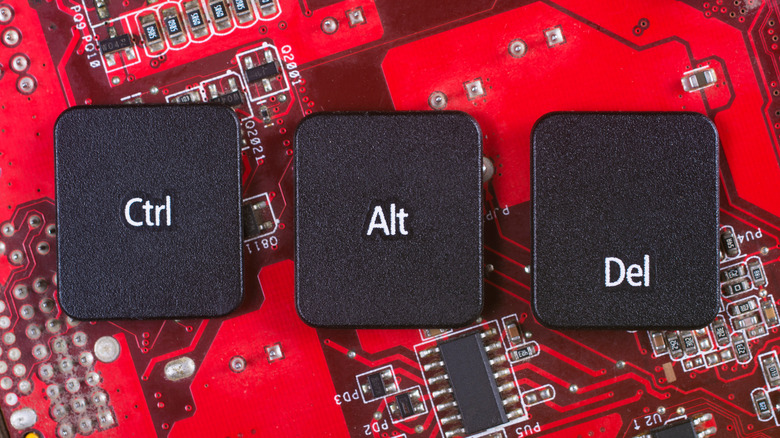
    Keyboard keys for CTRL, ALT, and Delete on a red circuit board background.
    Rubanitor/Shutterstock

    CTRL+Alt-Delete is one of the most well-known PC hotkeys, used primarily to access the system task manager. The tool is essential for force-closing frozen apps, reviewing system performance, checking what background processes are running, and closing them, like when the Windows Runtime Broker spikes your CPU usage. At a glance, you can see CPU, memory (RAM) and disk usage and more. Many learn to rely on the tool as a sort of benchmark of performance and to better understand the operating system. 

    But maybe don’t take those numbers at face value. as reported by its original creator, former Microsoft operating system engineer Dave Plummer, the task manager may be lying about the performance numbers. It has to do with how the application polls data. As Plummer explains, measuring CPU and system resource usage is complicated. “Either the CPU is busy, or it’s not, right? It’s silicon, not interpretative dance.” Except, despite this common line of thinking, that’s not actually how it works. More context is necessary to understand why the CPU is busy. “The first uncomfortable question is ‘Busy doing what, exactly?’” How many cores are in use? What is the average resource consumption during the polling period? Moreover, Plummer asks whether it’s busy due to deferred procedure calls, the idle loop or “some weird accounting bucket” because “the scheduler needed somewhere to hand the bill?”

    Plummer reveals that the task manager measures resource usage over time, refreshing at various intervals to update the statistics. It’s not showing stats in real-time, and it’s not a “simple speedometer” but “more like forensic accounting.”

    So, what is the task manager showing you then?


    What Task Manager does programmatically is request the runtime of each process since launch (the sum of user and system kernel time) and subtract the last total received from the previous refresh to determine CPU consumption. Then, it divides the consumption value by the total CPU time across all refreshes. As-is, that provides an accurate representation of the process’s power consumption. But because technology has improved so much since Task Manager was first introduced, the numbers can feel inaccurate. It’s an average, not the actual amount of resources consumed in that very moment. It’s not always the most up-to-date second-to-second outlook, either.

    Plummer attributes this discrepancy to advances in modern CPUs. He says it’s better to view it as “how full the freeway was,” rather than miles traveled. If the freeway is full of traffic, a vehicle takes longer to pass. The type of vehicles in use also influences speed. With a half-full freeway, by comparison, sports cars “can move a lot more traffic” than semi-trucks. CPU improvements like turbo boost, thermal throttling, and dynamic frequency scaling make the freeway “a lot looser.”

    When the numbers feel incorrect, it’s not because the tool is broken or ineffective, but more that “the hardware stops being simple enough for a single percentage to tell you the whole story.” You’re getting an average when looking at the tool, and one calculated over a small period, versus exact numbers. Still, it’s a fairly good indication of how many resources each process is using. 


    lying Manager PCs Task

    As always, the right answer is rarely the loudest one. Take the points above as a starting frame, layer your own situation on top, and remember that informed patience usually beats reactive trading.

    lying Manager PCs Task

    Related reading

    • How To Use iOS’s Built In Password Manager Feature (And Why You Should)
    lying Manager PCs Task
    Share. Facebook Twitter Pinterest LinkedIn Tumblr Email
    Previous ArticleDon’t miss this once-in-a-decade opportunity to profit from the stock market’s AI hype
    Next Article Warren Buffett dumped 77% of Amazon to buy surging media stock
    Finsider
    • Website

    Related Posts

    Tech & Innovation

    P&G Manufacturing Expansion: How Egypt’s New Plant Boosts Gulf and African Exports

    July 20, 2026
    Tech & Innovation

    MENA Tech Partnerships: New Opportunities for Innovation and Growth

    July 16, 2026
    Tech & Innovation

    MENA AI infrastructure pre-seed funding boom as Think raises over $8mn

    July 15, 2026
    Add A Comment

    Comments are closed.

    Top Posts

    5 Ways Leaders Can Communicate Power

    July 18, 2025

    Gold Price Forecast: What Investors Can Expect in the Coming Years

    July 20, 2026

    How to build a Stocks and Shares ISA with a 6% dividend yield

    July 19, 2025
    Stay In Touch
    • Facebook
    • YouTube
    • TikTok
    • WhatsApp
    • Twitter
    • Instagram
    Latest Reviews

    Subscribe to Updates

    Get the latest tech news from FooBar about tech, design and biz.

    Most Popular

    What is Mistral AI? Everything to know about the OpenAI competitor

    July 18, 2025

    3 Ways to Mitigate Executive Turnover

    July 18, 2025

    5 Ways Leaders Can Communicate Power

    July 18, 2025
    news

    Gold Price Forecast: What Investors Can Expect in the Coming Years

    July 20, 2026

    P&G Manufacturing Expansion: How Egypt’s New Plant Boosts Gulf and African Exports

    July 20, 2026

    How to Watch World Cup Final Online from Anywhere

    July 19, 2026

    Subscribe to Updates

    Get the latest creative news from FooBar about art, design and business.

    © 2020 - 2026 The Finsider . Powered by LINC GLOBAL Inc.
    • Contact us
    • Guest Post Policy
    • Privacy Policy
    • Terms of Service

    Type above and press Enter to search. Press Esc to cancel.