


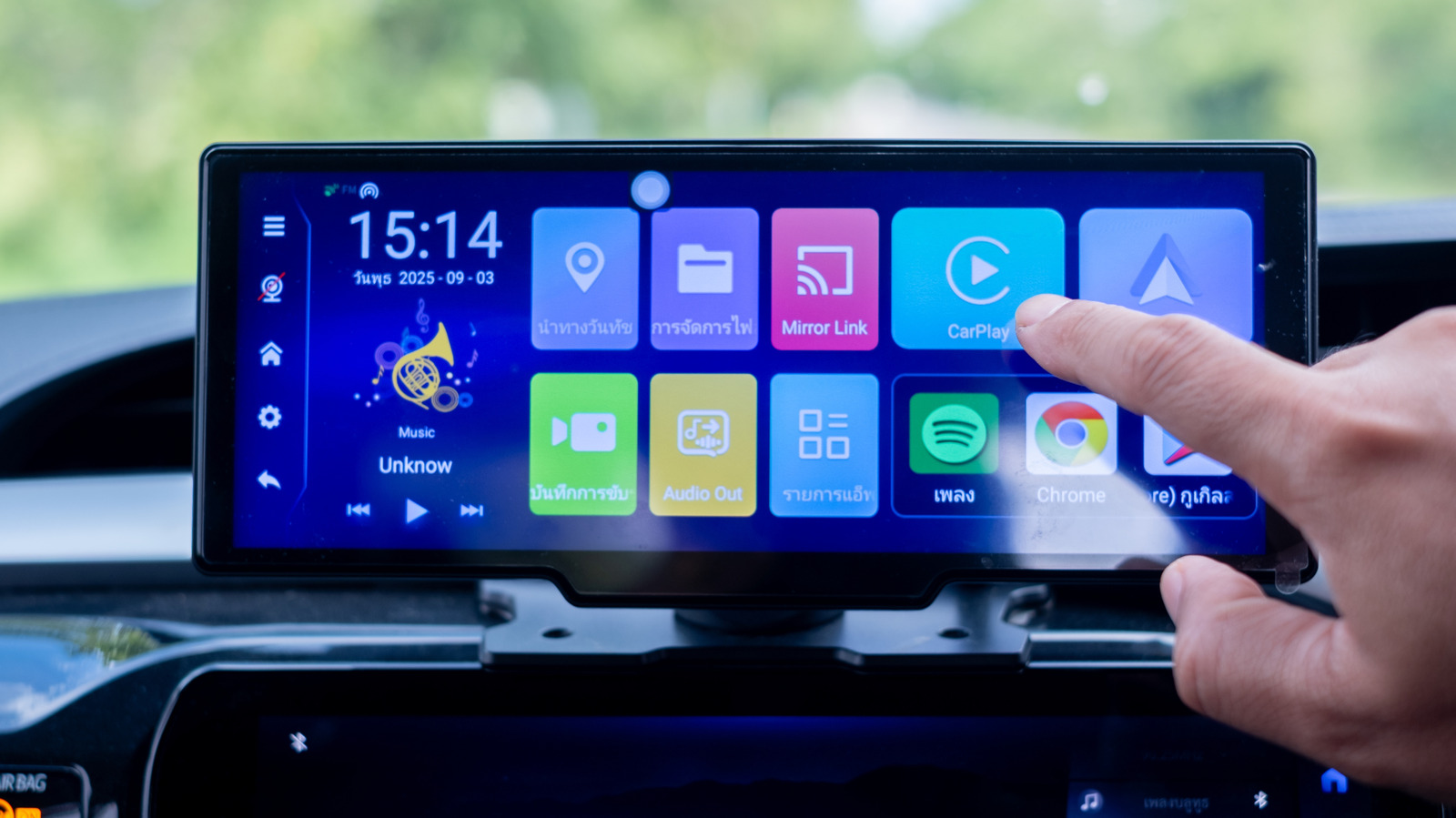
Apple officially launched CarPlay in March 2014, and today, it has become one of the must-have features in the modern automotive market. For some users, it’s the reason why they chose their current car. CarPlay works on a simple principle of bringing the iOS experience to your car. This promises to make your drive safer, smarter, and more convenient. It delivers this convenience in many ways. Navigation is easier, messages are just a command away, and music is streaming seamlessly. That being said, CarPlay isn’t all good. While many users swear by CarPlay, some have pointed out recurring frustrations.
From a familiar iOS-like interface and Dashboard view to connectivity issues and limited Siri functionality, we’ll talk about the eight best and six worst Apple CarPlay features according to users. We have primarily analyzed user reviews and discussions from forums like Reddit, and some insights from tech expert reviews, to identify the most commonly praised and criticized CarPlay features. Here are our practical, real-life insights into what to actually expect from CarPlay.
1. CarPlay has a simple interface and truly native iOS experience
Apple CarPlay boasts a simple, effortless, and user-friendly interface. If you use an iPhone, you already know how to use CarPlay. The interface quickly feels familiar and has no learning curve, unlike manufacturer-specific systems. You just have to plug in your iPhone or connect it wirelessly, and you’ll see all your apps.
Honestly, many users don’t see CarPlay as a standalone infotainment system. Rather, CarPlay feels like a deeply integrated extension of iOS, which brings your iPhone experience to your drive. You’ll see your iPhone apps in larger, easy-to-tap icons and a simple layout, which reduces distractions so you can focus on driving. You can make phone calls, read or reply to your messages, search for contacts, play your favorite music, and get navigation instructions in a safer way. CarPlay’s interface also supports light and dark modes, which you can activate according to ambient lighting or time of the day so it doesn’t strain your eyes.
CarPlay also supports Live Activities. This brings real-time glanceable updates like sports scores, flight status, and food delivery times, straight from your iPhone to your car’s screen. You can also control which apps are allowed to show your Live Activities by going to iPhone Settings > Apps > Live Activities. Overall, the easy-breezy interface and smart iOS integration are amongst the key reasons why many users believe that CarPlay is superior to the OEM systems.
2. Apple offers hands-free convenience while you drive
Hands-free voice command is known to be one of the best safety features of CarPlay. Apple designed CarPlay to reduce driver distractions, and uses its own virtual assistant to help you stay focused. You can rely on Siri to make calls, send or read messages, set navigation, or play some music, all without looking at the car’s screen or even your phone. You can press and hold the voice command button on the steering wheel or invoke Siri like you usually do on your iPhone, and use your natural voice commands to get things done. For instance, you can say “Call Rose” or “Read my messages,” or “Take me to the nearest fuel station.” Apart from calls and messages, you can rely on Siri to listen to your playlists or access your audiobooks, so you can enjoy and learn as you drive. You don’t have to look around or search for your phone. This CarPlay feature ensures that you can keep your eyes on the road and hands on the steering wheel for utmost safety.
3. Using CarPlay is a smarter way to navigate
Years ago, drivers had to rely on phone mounts for navigation purposes. Today, CarPlay turns your car into a smarter navigation and entertainment hub, offering an improved and smoother experience. It displays turn-by-turn directions right on your car’s dashboard. Apart from Apple Maps, CarPlay also support third-party navigation apps like TomTom, Google Maps, and Waze. So, users can easily switch to these apps to get better real-time traffic data, cops alerts, community-reported hazards, and more. You can also ask Siri to set a destination, and you’ll see your route directions right on the car’s screen.
Besides strong navigation integration, CarPlay brings your entire audio library to your car’s screen. This offers an easier and safer way to enjoy your favorite music, podcasts, news, and audiobooks on your car’s premium sound system. CarPlay supports a range of popular music-streaming apps, including Apple Music, Spotify, YouTube Music, and Amazon Music. You can browse your playlists, search content, and control playback right from the car’s display. With iOS 26, you will soon be able to watch videos on CarPlay. When you are not driving, you can use AirPlay to watch your favorite videos from your iPhone on the car’s display.
4. CarPlay has a Customizable Driving Focus mode
One of the most important features of CarPlay is its focus on improving in-car safety. With iOS 15, Apple introduced Focus Modes to reduce distractions. There’s a Driving Focus mode which automatically blocks incoming notifications, calls, and messages so you can stay focused when you’re behind the wheel. This feature is loved by users who wish to minimize distractions as far as possible while driving. When you’ve blocked all the incoming notifications, you have no reason to pick up your phone unnecessarily.
Driving Focus mode is even smarter on iPhones with Apple Intelligence. It will analyze your notifications in real-time to allow the urgent alerts, while silencing the standard ones. You can also customize Driving focus using the Settings app on your iPhone. If you want to allow calls and notifications from some specific contacts, let’s say your Mom or a friend, you can set up the focus mode accordingly. You can turn on Driving Focus manually or choose to set it up automatically when your phone is connected to the CarPlay.
5. You can track your car’s parking location with CarPlay
It’s extremely annoying when you’re done with your shopping or a late night crowed event and have no idea where you parked your car. Since this is a pretty common issue, car parking location is one of the best and most useful CarPlay features. When you disconnect your iPhone from CarPlay or the built-in Bluetooth system and step out, Apple CarPlay will automatically mark where you parked your car. This saves you the hassle of finding your car later.
To use this feature, you have to go to Settings > Maps and enable the Show Parked Location setting. If you use Google Maps, you have to open the app, tap on your profile, choose Settings > Navigation and turn on Save Parking Location. Once you do that, CarPlay will mark your parked location on the map, which you can access any time. Just open Apple Maps or Google Maps, and you’ll see step-by-step directions to your parked car. This is a real timesaver and helps you stay safe, especially in unfamiliar or heavily crowded places.
6. CarPlay has a customizable Dashboard view
Initially, CarPlay could display only one app at a time on your dashboard. Later on, Apple added the split-view Dashboard to CarPlay so you can enjoy a more functional interface. Many users praise CarPlay’s dashboard view feature, which lets them see multiple apps at once. This allows you to see navigation, messages, calendar events, music controls, and more at the same time. You don’t have to switch back and forth between two or more apps. You can split the screen to see navigation in one window, music control in another, and so on. Whenever you want, you can tap on an app to open it in the full-screen mode. It’s a great way to personalize your drive the way you want. Besides, you can further customize your dashboard by changing the wallpaper or switching between light and dark modes. The next-gen CarPlay Ultra adds several exciting upgrades like an immersive all-screen experience, multi-display functionality, enhanced customization, and Apple Intelligence support. That said, the latest CarPlay Ultra is currently exclusive to luxury vehicles like Aston Martin.
7. SharePlay control is a genius CarPlay feature
One of the most interesting CarPlay features has to be SharePlay. When you’re traveling with your friends and family, everyone wants to listen to their favorite songs at some point. With SharePlay, other people in your car can contribute to a music playlist directly by tapping on the notification on their iPhones or using the QR code displayed on the screen. They can join in the music session, add songs, skip tracks, and do a lot more directly from their own iPhones. It’s a great feature for drivers who wish to allow fellow passengers to play their favorite songs without disconnecting their phones or handing them over to someone else. Only the person who starts the SharePlay sessions needs an Apple Music subscription, while other users can join without having one. You can concentrate on driving and navigation, without getting distracted by what to play next. If your car only offers wired CarPlay, SharePlay removes the hassle of passing a tethered phone to the backseat passengers. This makes your road trip safer and more convenient.
8. CarPlay supports Widgets in iOS 26
The newest iOS 26 added an array of upgrades to CarPlay. One of them is the ability to add widgets. Widgets enhance your CarPlay experience by bringing the same convenience and personalization as your iPhone. They can show glanceable information from your favorite apps like weather, calendar events, news, sports scores, and more. This offers a much better way to navigate certain settings and features while you’re driving. You don’t have to pick up your phone or switch between apps.
To add CarPlay widgets, you have to go to Settings > CarPlay > Your Vehicle > Widgets > Add Widgets and follow the on-screen instructions. CarPlay supports Apple’s own widgets like Weather and Calendar as well as several third-party options like ChatGPT. You can also customize CarPlay widgets to see the desired data and rearrange them as you like. Apple’s iOS 26 also brings the brand-new Liquid Glass design to your car’s dashboard.
1. CarPlay struggles with connectivity issues and occasional glitches
Wireless CarPlay is convenient with automatic pairing and no cables involved. That said, it still feels unreliable. Many users have reported connectivity problems, audio dropouts, screen freezes, and app crashes. The wireless CarPlay may sometimes fail to connect automatically. In that case, you have no other option but to connect manually, which is pretty annoying when it happens regularly.
Even the wired CarPlay operates inconsistently. Sometimes it may connect instantly, other times you might have to keep replugging it like the technology is still in 2012. Some of the most common reported problems include unexpected crashes and annoying interruptions. Also, there could be instances when your iPhone connects to CarPlay only when you’re using a certain USB port. Some users have also complained about getting a message saying “Accessory not supported by this device” when they try to connect to CarPlay.
Sometimes, these glitches are so stubborn that they persist even if you’ve restarted your phone and the car itself. Of course, there are some ways to fix CarPlay connectivity issues, but there’s no universal, one-size-fits-all solution. Sometimes, you might have to try multiple fixes before something finally clicks. That’s why connectivity issues remain one of the most common Apple CarPlay problems.
2. Apple CarPlay has limited customization and app support
Android Auto offers deeper layout tweaks and supports a wide range of apps. On the other hand, CarPlay offers limited personalization settings and third-party app support. You can change wallpapers and rearrange apps, but CarPlay is generally criticized for its limited customization support. CarPlay has a rigid design layout, which means users can’t really enjoy a truly personalized home screen. They can’t actually rearrange the main dashboard beyond moving icons. Also, the dashboard is mostly limited to Apple-designed widgets like Maps and Music. Users have limited widget options, and can’t go for advanced speedometers and other custom information widgets. Then there are wallpaper restrictions. CarPlay users have always wanted to add image backgrounds for a personal touch. They are still stuck with simple and non-adaptive backgrounds.
CarPlay works with a decent selection of third-party apps. That being said, it still lacks some key apps that users have been wanting to see for a long time now. Siri is deeply integrated into Apple’s own apps like Messages, Music, and Maps. Users can invoke Siri to open third-party apps like Spotify or Google Maps, but the voice assistant might struggle to perform complex actions like finding a specific in-app setting or a saved playlist.
3. The system depends on iPhone
One of the biggest user frustrations about CarPlay is that it only works with an iPhone. That’s right — CarPlay doesn’t work with your iPad or Apple Watch, and is totally dependent on an iPhone for everything. For instance, CarPlay uses an iPhone for all its processing needs. This can overheat your iPhone, especially with wireless connections. When you use CarPlay during long drives, it can also trigger battery drain and impact your phone’s lifespan in the long run. On top of all this, CarPlay also uses your iPhone’s data plan for all your navigation and other online features. Unless your iPhone is topped up with an unlimited data plan, you might burn through your monthly data allowance very quickly.
Now, that’s one thing. Another issue is that if you leave your iPhone at home or it has some connectivity issues, CarPlay is nothing more than a blank screen on your car’s display. In such situations, you have to use your car’s in-built system for navigation, music, and other needs.
4. CarPlay doesn’t have full vehicle control
One of the biggest complaints about Apple CarPlay is that it offers limited vehicle control. This means that it can’t fully replace a car’s infotainment system. Standard CarPlay can easily run navigation or play music, but it can’t control your car’s internal climate, ambient lighting, radio settings, or heated seats. If you wish to do that, you have to exit CarPlay and switch to the car’s default menu, which is pretty annoying. It breaks navigation visibility and interrupts music.
CarPlay also cannot show native car data like energy consumption of an EV, and this requires you to constantly switch to the built-in system. In most of today’s current vehicles, CarPlay isn’t integrated with the Gauge Cluster. Therefore, it cannot display maps or media information on the driver’s instrument cluster. This limits the view to the central infotainment screen of your vehicle. The next-gen CarPlay Ultra brings vehicle function control, but it’s currently exclusive to luxury vehicles. This means there’s a long way before the advanced vehicle control arrives on mainstream cars.
5. Users experience UI design frustrations and limited Siri functionality
Other common CarPlay issues revolve around its notification system, text input limitations, and visual instability. Many users specifically point out the poor design of CarPlay notifications. Unlike iPhones, iPads, and Macs, CarPlay pops up notifications from the bottom, which breaks the Apple platform consistency. It also obstructs the navigation data, which can be annoying at times. Additionally, some CarPlay UI elements might look half-baked on cars with smaller screens.
Another issue is Siri’s limitations. Apple’s CarPlay heavily relies on Siri for hands-free control. That being said, Siri sometimes fails to understand voice commands accurately. It might also freeze the screen, go black, or throw a noticeable lag, which forces the driver to touch the screen to fulfill their needs. This defeats the core hands-free purpose. We also know that Siri hasn’t evolved like other voice assistants. It falls short on understanding complex requests and might refuse to dive deep into non-Apple apps, which limits its use with CarPlay.
6. Not all CarPlay experiences are the same
The behavior of CarPlay depends on the car that’s running it. As a result, users may see different interfaces and experiences across vehicles. The UI may look polished in some vehicles and poorly integrated in others. The display size and aspect ratio play a huge role in the layout and usability. CarPlay does not automatically scale to perfectly fit in every car dashboard. As a result, users may see cropped icons, misaligned menus, and shifted touch targets, which ruins the experience. If a car’s screen does not match Apple’s standard layout, it might show empty black bars on the sides, which kills the whole look. In some vehicles, the interface could be stretched in a way that looks off. CarPlay will still work, but you won’t get that native experience. CarPlay looks crisp and modern on high-end vehicles with sharp displays. This experience is less refined on older and low-resolution screens.
